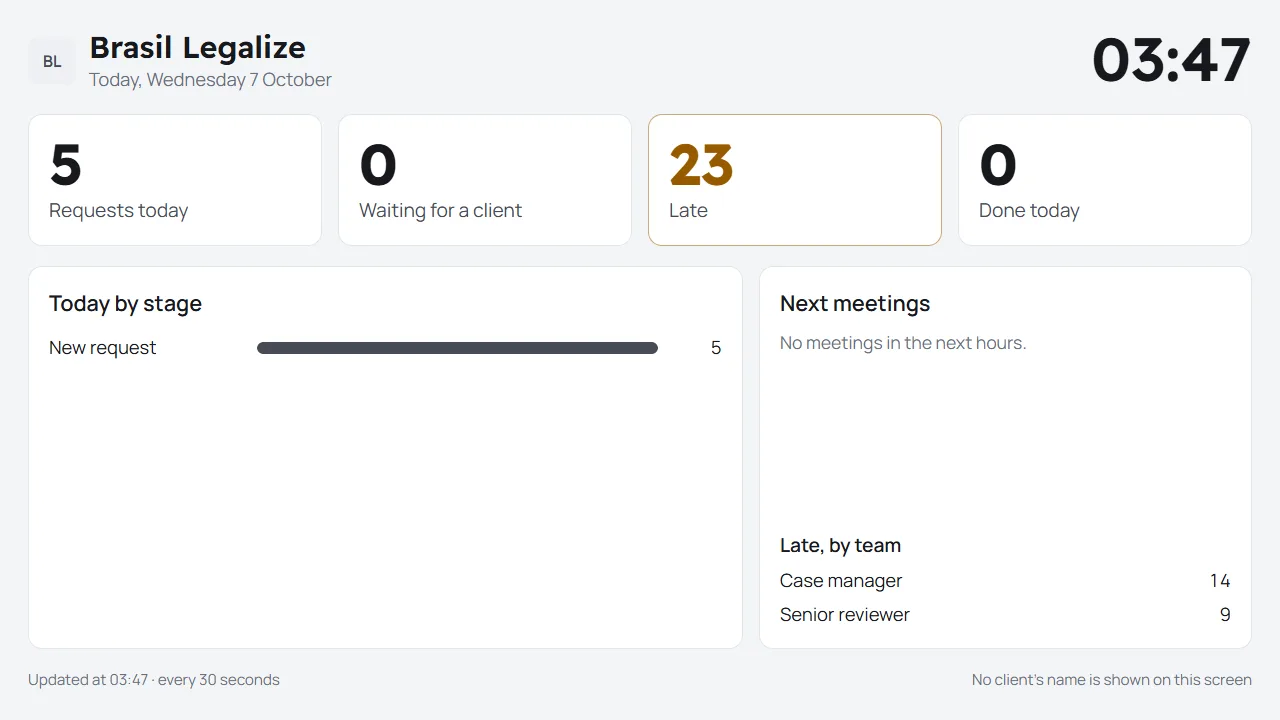
Everything in Service Ocean 360 today
Grouped as the app's own menu is. Each part's docs explain how it works.
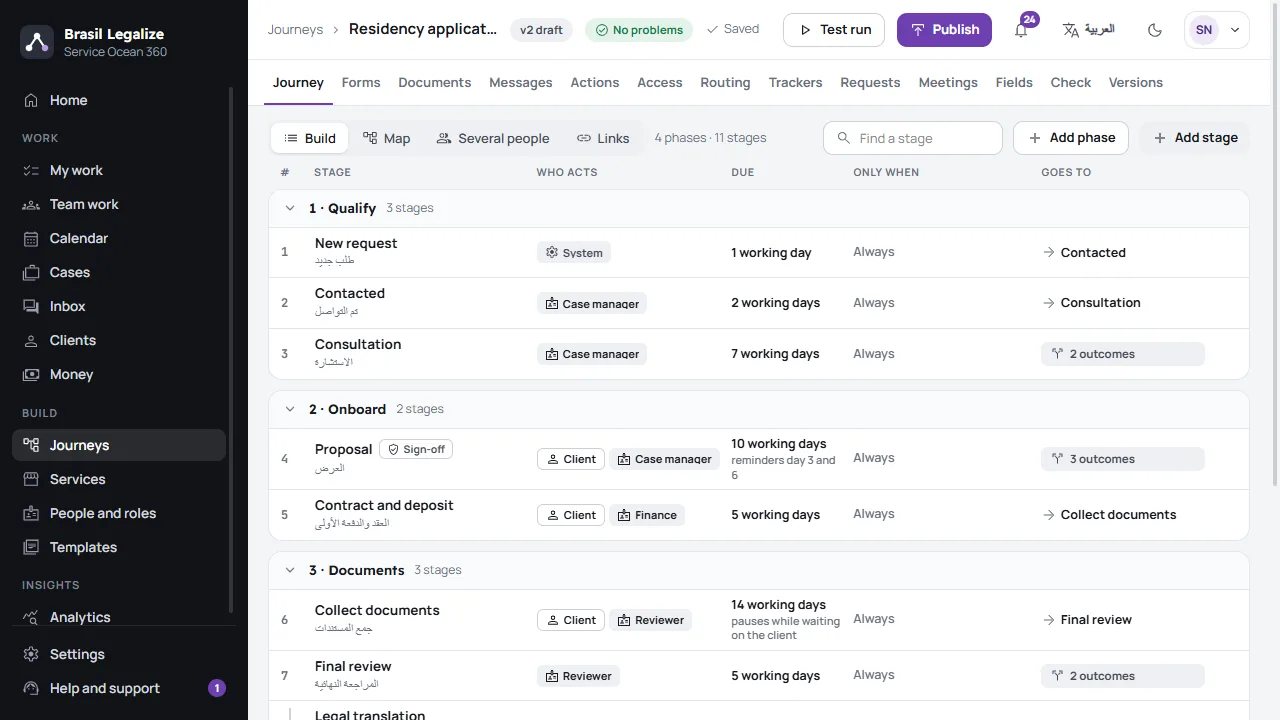
Journeys and forms
How your requests run, built once and checked as one.
- Phases and stages as a list, drawn as a map; outcomes, sign-offs, deadlines in working days
- Forms with 23 kinds of question, asked of each person when it applies
- Rules: when something happens, the steps you choose run on their own
- Routing by role, branch, working hours and load; access by role
- The check before publishing, versions you can restore, test copies
- 4 templates, your cases imported from a spreadsheet, journeys that open the next
Cases and work
Every case moves stage by stage, and every person sees their part.
-
The counter
A walk-in client's case opened in one form.
-
My work and Team work
Late, today, coming up; waiting work given to someone free.
-
Trackers
Items worked on a case, each with its own steps.
-
Requests
Raised by staff or the client while a case runs.
-
Time on work
Timers and minutes; a case's effort.
-
Meetings
Free times, booking, reminders, the team's week.
Your clients
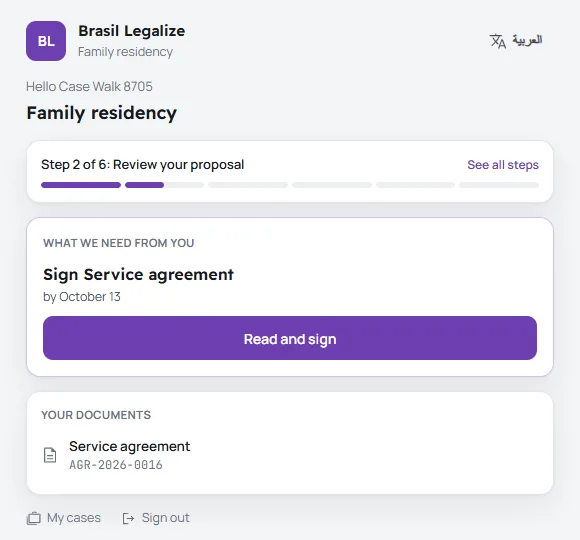
Clients act from a link and a one-time code. No account, no password.
- A catalogue of services, each with its public request form
- The client's page and portal: what is needed now, with one button
- Several contacts for one client, each getting what is theirs
- Outside parties on a case, by their own link
- Surveys after a meeting, answered once
- Facebook's lead forms become requests After Meta's review
Messages
In the client's language, with their consent kept and STOP respected.
-
WhatsApp
Meta's own API; templates approved from the app.
-
SMS
When WhatsApp cannot reach a number, or as you choose.
-
Email and Telegram
Each ready once it is connected in Settings.
-
One inbox
Every conversation, answered from its case.
Documents and money
Files you can trust, documents anyone can check, and money that adds up.
-
Uploads scanned
Each file's kind read from its contents, and scanned before use.
-
Documents issued
In Arabic and English; signed; checked by their code; revised.
-
Plans and invoices
Deposits and instalments, invoices and receipts with VAT.
-
Payments
At the office, or by card, wallet or bank transfer once your payment provider is connected.
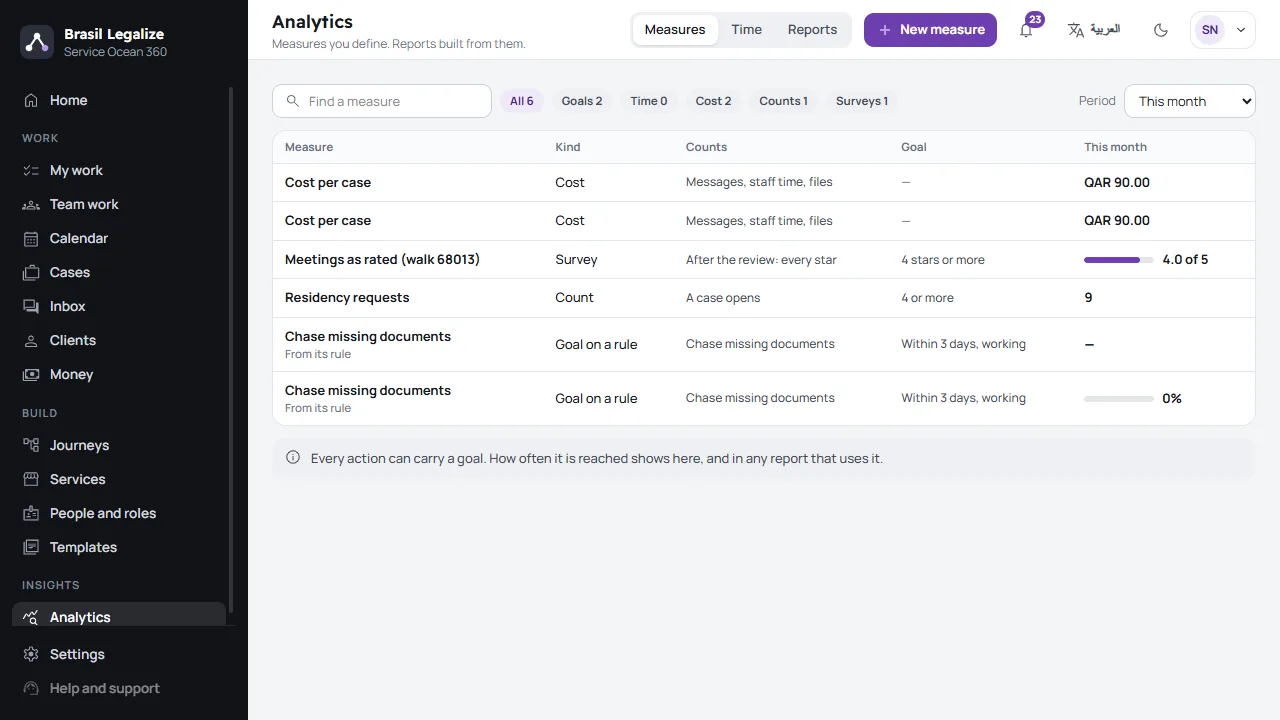
Analytics
Your own measures, the time at each stage, the cost of a case, and reports by email.
- Measures totalled every night, with goals
- Up to six measures side by side, as CSV, Excel or PDF
- Survey results by meeting and by party
Government scale
Built and tested for a ministry's busiest day.
- Tested at 10,000 requests a day, and five times the busiest hour
- Arabic search that finds a name however it was spelled
- An audit log of every change, with a CSV export
- Personal data kept as long as you set; a client erased on request
- A government client's data kept inside its own country
- Backups every night, and a restore drill every week