For service companies and government bodies

Run every service request, from first contact to done.

Build the journey your requests follow: its stages, forms, rules and roles. Service Ocean 360 checks it as one before it goes live, then runs every case on it, while your clients act from a WhatsApp link, with no account.

  • Arabic and English
  • WhatsApp first
  • No account for your clients
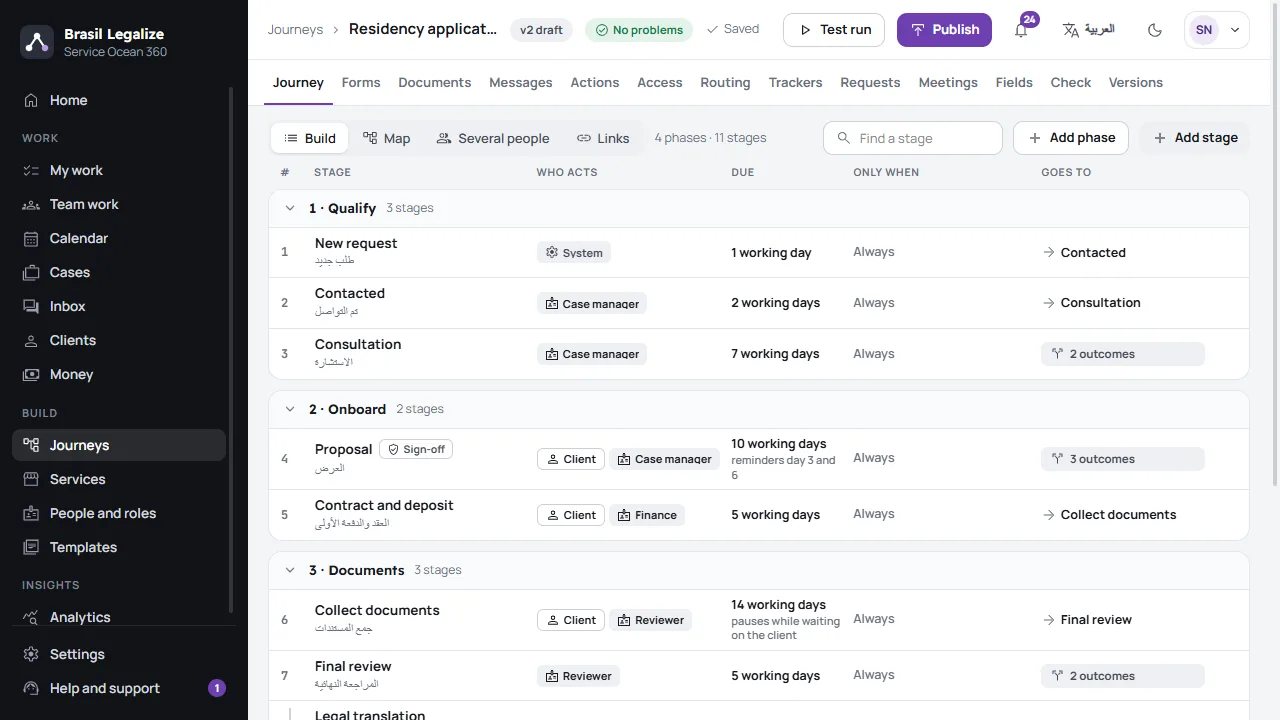
The journey builder: a residency application's phases and stages, who acts at each, its deadline and where it goes next
How it works

Build it, check it, run it

  1. Step 1

    Build the journey

    Stages, forms, rules and roles, as a list the app also draws as a map. Start from a template or from scratch.

  2. Step 2

    Check it as one

    Before anything goes live, the check finds every gap. If a journey publishes, it works.

  3. Step 3

    Run the cases

    Each task reaches the right person, deadlines count in working days, and clients act from a link.

The check

If it publishes, it works

Every journey is checked as a whole before it goes live: a stage nobody can reach, a form nobody sends, a rule that reads a missing field, a message with no words in Arabic. A test copy runs the draft without reaching a real client.

  • Checked as you edit, by the same check the server runs
  • Each finding opens the place to fix it
  • Versions you can restore, and running cases moved on
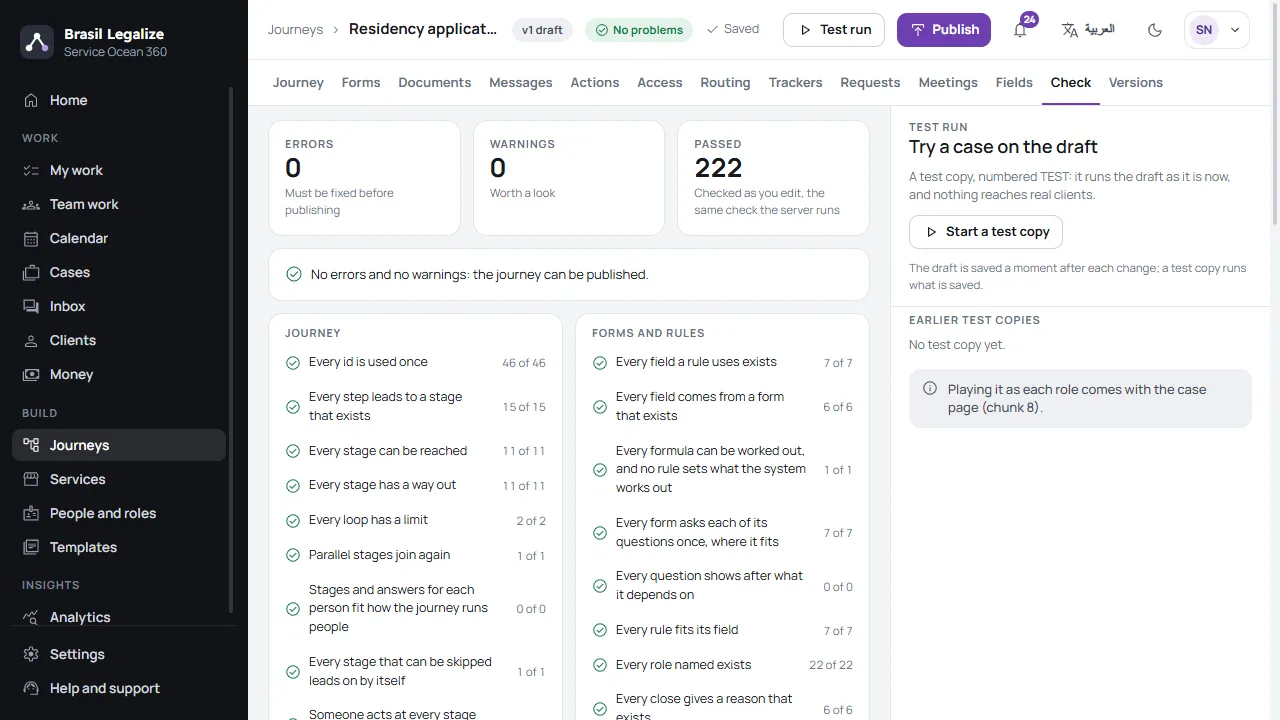
The Check tab: no errors, no warnings, and every check passed
Your clients

Clients act from a link, not an account

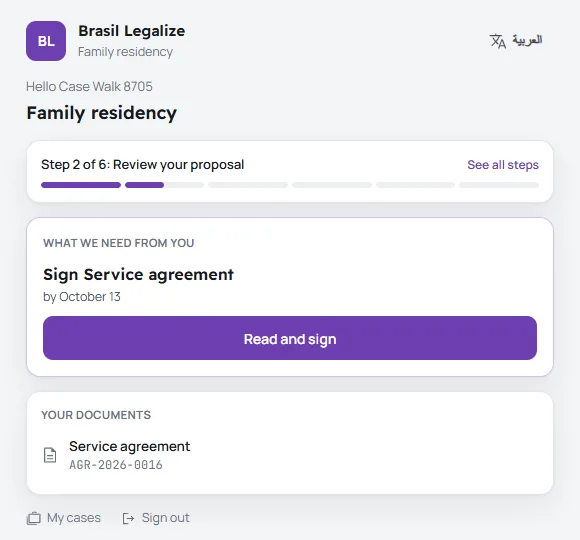
Each message carries the client's own link, and a one-time code opens their case. They see what is needed from them now, with one button: upload, fill in, sign, pay or book a meeting.

  • By WhatsApp, SMS, email or Telegram
  • Photos of a document made into one PDF
  • A portal for all their cases, by phone or email and a code
A client's case page: step 2 of 6, and the one thing needed now, signing the service agreement
Analytics

Know where the time goes

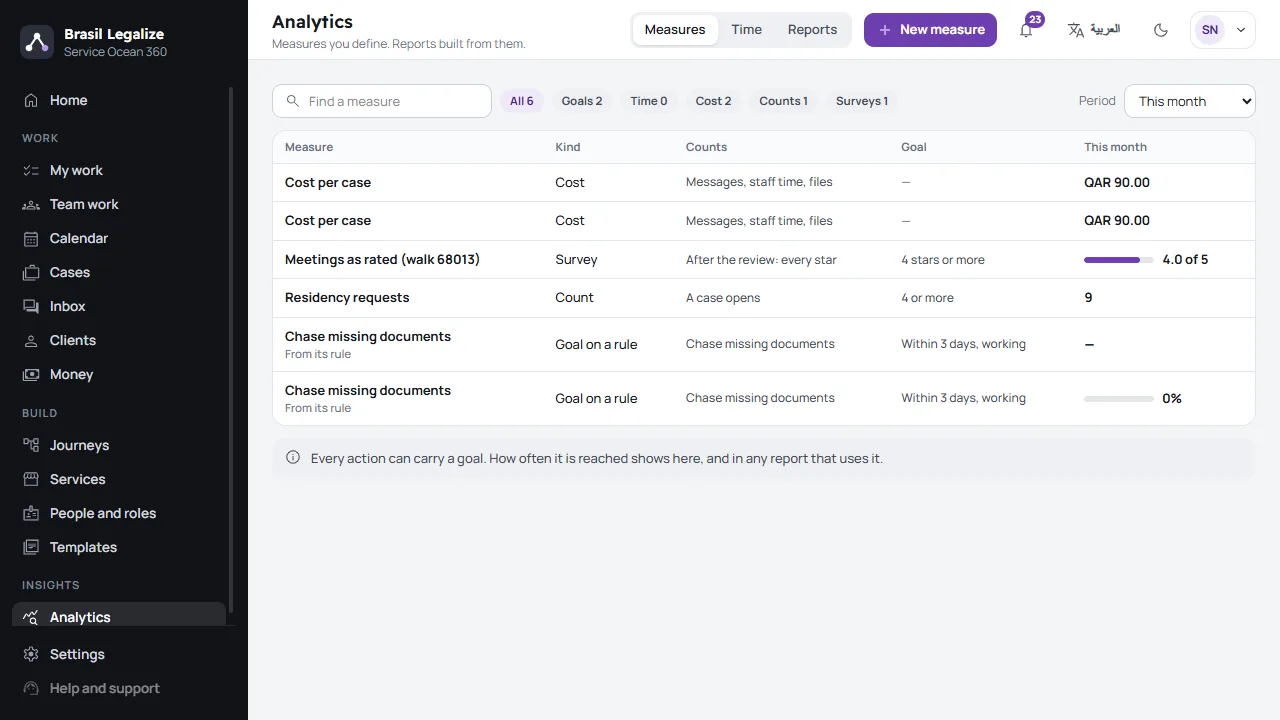
Measures you define, totalled every night: the time each stage takes, what a case costs, and how often each rule meets its goal. Reports go out by email as CSV, Excel or PDF.

  • Goals on any rule
  • Survey stars after a meeting
Analytics: measures of cost per case, survey ratings, requests and goals on rules
Built for the Gulf

Ready for a ministry's busiest day

From a one-person firm to a government body taking thousands of requests a day.

  • Arabic and English

    Every screen in both, right to left in Arabic, light or dark. The words your clients read, in any of 23 languages.

  • WhatsApp first

    Through Meta's own API, with templates approved from the app, and SMS when WhatsApp cannot reach a number.

  • Government scale

    Tested at 10,000 requests a day and five times the busiest hour. Arabic search that copes with spelling, an audit log, and data kept in its own country.

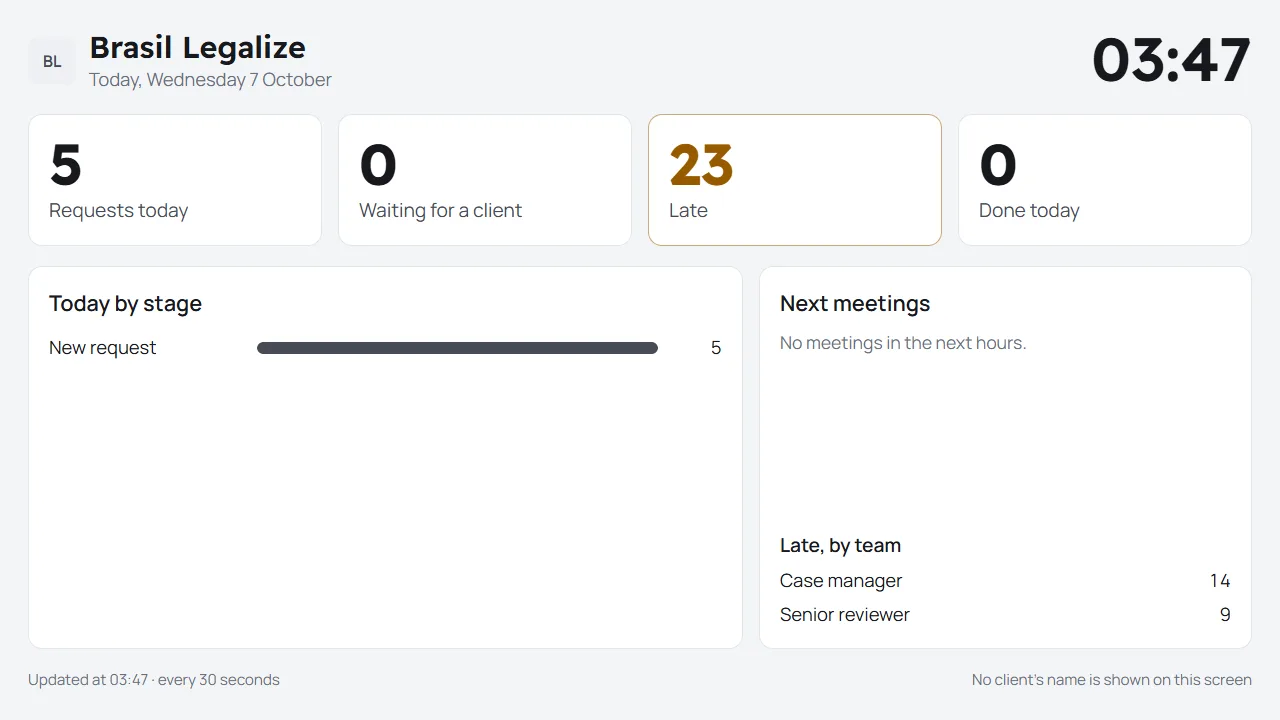
An office wall screen: requests today, late work and the day by stage
An office wall screen: today's work and counts, never a client's name.
For everyone on the team

Each person sees their part

  • My work

    What is late, due today and coming up, for each person.

  • Team work

    Waiting work given to someone free, by role, branch and hours.

  • The counter

    A walk-in client's case opened in one form.

  • Meetings

    Free times, booking by staff or the client, reminders.

  • Documents

    Issued in Arabic and English, signed, and checked by anyone from their code.

  • Money

    Payment plans, invoices with VAT, refunds signed off.

Part of MA Ocean 360

One sign-in for the whole suite

Your team signs in with Ocean ID, the same account as every MA Ocean 360 app. People, plans, usage and support live in the Console your company already uses.

Start with one service

Pick a template, or bring your forms and the way you work today: we set up its journey with you, then you check it and publish.